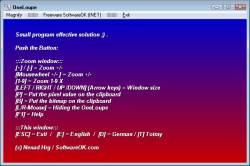
The alternative Screen Magnifier for Windows The One-Loupe!
Update on: 21 February 2024
Suitable for : Windows 11, Windows 10, 8.1, 7, ... , Server 2012-2019, 2022, x64, x32, x86
One Loupe is required to view everything on the screen enlarged on every Windows operating system.
Simple and easy to use, the small Magnifier is always ready when you need it to view all fine details, even the small print in the I-Net to decipher.
Key features in the Magnifier
◆ Dual or multiple monitors support
◆ Magnification modes: Normal, realtime, realtime + mouse (working mode)
◆ Fullscreen magnification
Other options and specifications
◆ Very small program
◆ Multi INI Files and Profiles
◆ Low CPU usage great Magnifier
◆ Portable
◆ Multilingual
OneLoupe is very practical and user-friendly.
It is virtually no burden on the system, an installation is not required. Once placed on the desktop, it is always ready for use. Adjustable zoom range, and the zoom factor allow an individual adapt to the needs of individuals. This will of course be saved for the next start of OneLoupe with your favourite settings.
Get color pixel from your desktop screen is also implemented, and not to forget that it offers the possibility for the quick creation of images from the zoom range, for comfortable work over the clipboard.
It is also suitable for people with visual impairments or weak eyes. The control of the zoom window is done through direct input of the keyboard and mouse motions.
You have no problems to forward to friends, relatives or acquaintances because this small brownie is freeware, and you can make unlimited number of copies of OneLoupe and distribute to anyone you wish.
Portable use is also possible. Create in the same directory the file OneLoupe.ini. OneLoupe will be so happy and save the settings in INI-File, so you have the functions of OneLoupe on other computers.
Take OneLuope, stretch screen and see for yourself.
# OneLoupe Versions History
| New in version 5.77 // 21 February 2024
Small corrections in the alternative magnifier for MS Windows
Update of language files and new languages for Magnifier: Flemish
Many thanks to Pierre VdC for the Flemish language.
| New in version 5.71 // 20 August 2023
Neues Code-Sign-Zertifikat für OneLoupe.exe
Wichtige Tests der Desktop-Lupe APP für das nächste MS Windows 11/10-Update
Aktualisierung von Sprachdateien in der 3D Desktop Bildschirmlupe Anwendung
| New in version 5.66 // 10 April 2023
Updates to the language files in the desktop magnifier
Small corrections and renewed tests under MS Windows 11 and 10
| New in version 5.61 // 13 October 2022
General bug fixes for some older graphics cards and various improvements.
Updated the language in the desktop magnifier
| New in version 5.55 // 1 July 2022
Improvements when used on multi-screens and virtual desktops
Small fine tuning and update of the language files
|
... complete Versions History
| # OneLoupe is multilingual and a popular program worldwide: |
Program Keys:
Supported Operating systems:
Windows 11, Windows 10, Windows 10 Pro, Windows 10 Enterprise, Windows 10 Home,
Windows 8.1, Windows 8.1 Enterprise and Pro, Windows 8, Windows 8 Enterprise and Pro,
Windows 7, Windows 7 Enterprise, Windows 7 Home Basic, Windows 7 Home Premium + Professional, Windows 7 Starter + Ultimate,
, X64, x86 and x32 all Windows, MS Windows Server 2019, 2016,2012, .
* The alternative Screen Magnifier for Windows The One-Loupe!
# Thanks+
|

 DE
DE COM
COM