Software-OK
≡... News | ... Home | ... FAQ | Impressum | Contact | Listed at | Thank you |

  
HOME ► Micro-Staff ► OneLoupe 6.31

The alternative Screen Magnifier for Windows The One-Loupe!

About History Eula Images FAQ Download (98 KB) de DE en COM en EU
Update on: 29 May 2026
Suitable for : Windows 11, Windows 10, 8.1, 7, ... , Server 2012-2025, 2022, x64, x32, x86
-
Desktop Screen Magnifier for Windows
... Download (98 KB)
... FAQ


One Loupe is required to view everything on the screen enlarged on every Windows operating system.


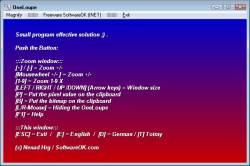
Simple and easy to use, the small Magnifier is always ready when you need it to view all fine details, even the small print in the I-Net to decipher.

Key features in the Magnifier


◆ Dual or multiple monitors support
◆  Magnification modes: Normal, realtime, realtime + mouse (working mode)
◆ Fullscreen magnification

Other options and specifications
◆ Very small program
◆ Multi INI Files and Profiles 
◆ Low CPU usage great Magnifier
◆ Portable
◆ Multilingual


OneLoupe is very practical and user-friendly.


It is virtually no burden on the system, an installation is not required. Once placed on the desktop, it is always ready for use. Adjustable zoom range, and the zoom factor allow an individual adapt to the needs of individuals. This will of course be saved for the next start of OneLoupe with your favourite settings.

Get color pixel from your desktop screen is also implemented, and not to forget that it offers the possibility for the quick creation of images from the zoom range, for comfortable work over the clipboard.

It is also suitable for people with visual impairments or weak eyes. The control of the zoom window is done through direct input of the keyboard and mouse motions.

You have no problems to forward to friends, relatives or acquaintances because this small brownie is freeware, and you can make unlimited number of copies of OneLoupe and distribute to anyone you wish.

Portable use is also possible. Create in the same directory the file OneLoupe.ini. OneLoupe will be so happy and save the settings in INI-File, so you have the functions of OneLoupe on other computers.

Take OneLuope, stretch screen and see for yourself.


# OneLoupe Versions History

New in version 6.31 // 29 May 2026
Minor bug fixes for keyboard shortcuts in Windows Magnifier
Language files for OneLoupe updated
New language in OneLoupe: Hebrew

Many thanks to peterg for the Hebrew translation


New in version 6.26 // 22 April 2026
Update of the language files in OneLoupe.
New language in Desktop Loupe: Norwegian

Many thanks to Karl Gudmund Helland for supporting the Norwegian language.


New in version 6.21 // 25 January 2026
Update of the language files in OneLoupe.
Fine-tuning and general optimization.


New in version 6.16 // 16 October 2025
Minor bug fixes in the Screen Magnifier app for Windows 11 and 10 operating systems related to Smart Screen Lock.
Important language file update for the Screen Magnifier app


New in version 6.11 // 8 July 2025
Important adjustments to the Desktop Magnifier application
Language file updates


... complete Versions History


# OneLoupe is multilingual and a popular program worldwide:
Language%   Translator Name
1Deutsch  / German 100 %   Nenad Hrg
2Englisch  / English 100 %   Nenad Hrg
3Swedish  / Svenska 78 %   Åke Engelbrektson
4Polish  / Polski 70 %   Jacek Zebrowski
5Spanish  / Español 70 %   Fco. J. Manzanares
6Greek  / ελληνικά 100 %   geogeo.gr
7Arabic  / العربية 70 %   Abuyzeed
8Slovenian  / Slovenski 70 %   Vinko Lorencic
9French  / Français 100 %   Drake4478
10Russian  / Pусский 70 %   Alexander Asyabrik
11Nederlands  / Dutch 70 %   André Haagsma
12Simplified-Chinese  / 中文(简体) 96 %   大眼仔~旭
13Traditional-Chinese  / 中國傳統 (台灣) 100 %   Danfong Hsieh
14Serbian  / Cрпски 70 %   ozzii
15Hungarian  / Magyar 72 %   LCAdam
16Italian  / Italiano 100 %   bovirus e fr52 (Fabrizio)
17Persian  / پارسی 74 %   FaragamAra
18Korean  / 한국어 100 %   VᴇɴᴜꜱGɪʀʟ❤
19Japanese  / 日本語 98 %   Hideki Nomura, maboroshin
20Malay  / Malaysia 100 %   Washington
21Indonesian  / Indonesia 100 %   Indonesian Super Girl
22Filipino  / Pilipino 100 %   Abraham Lincoln
23Spanish-VE  / Venezuela 100 %   Ricardo A. Rivas
24Turkish  / Türkçe 100 %   Redsea
25Ukrainian  / Українська 100 %   Anatolii Shp.
26Bosnian  / Bosanski / Hrvatski / Srpski 100 %   Mujo
27Finnish  / Suomi 100 %   Matti Kamppinen
28Flemish  / Belgium 100 %   Pierre VdC
29Norwegian  / Norsk 100 %   Karl Gudmund Helland
30Hebrew  / עברית 100 %   peterg
Program Keys:
  1. Lupe Vista desktop?
  2. Dual monitor software for windows 7 starter free?
  3. Lupe Windows program?
  4. can i put a magnifier program on a server?
  5. Zoom screen software?
  6. Screen magnification program windows server 2003?
  7. Stretch the screen programm?
  8. Windows desktop screen magnifier for all?
  9. Magnifier software dual monitor support?
  10. Program for screen magnifier?
  11. Windows screen magnifier?
  12. Desktop zoom multiple displays?
  13. PC screen magnification software on two monitors?
  14. Windows 7 starter Stretch screen?
  15. Win 64 motion?
  16. Windows 7 Full screen magnifier?
  17. Multiple monitors software for 7 starter fix?
  18. Magnifier for windows 7?
  19. Multi screen software stretched?
  20. Loupe magnification, and for PC software?
  21. Stretch screen program?
  22. Find a program that enlarges screen clippings?
  23. Enhanced Desktop Zoom?
  24. Programming magnifier?
  25. Oneloupe download?
  26. 22 screen magnifier?
  27. Multi monitor fullscreen f11?
  28. Windows magnify?
  29. Windows 7 Magnifier for XP?
  30. Better screen magnifier for XP?
  31. Lupe set to the screen?
  32. Freeware computer screen magnification?
  33. Multiple screen magnifier windows 7=1
  34. Programs to certain areas to enlarge on my desktop?
  35. Screen magnifier for Windows XP?
  36. Windows 7 Starter dual monitor software?
  37. Screen magnification software?
  38. Magnify and stretch screen image?
  39. Large desktop magnifier, screen vergroserung as free software?
  40. Magnification window for monitor rid of?
  41. Windows screen zoom, and mark?
  42. Win xp screen magnifier and a screen magnification software?
  43. Loupe on screen magnifier?
  44. Windows 7 foots f11 fullscreen zoom zoom?
  45. Dual monitor patch for windows starter?
  46. Freeware magnifiers?
  47. Lupe vista?
  48. Screen magnification software Windows 7?
  49. Magnify Magnifier download windows 7?
  50. Magnifying glass for programming?
  51. Free desktop zoom magnifier, 2011?
  52. Desktop magnifier software?
  53. Free program for Windows 7 screen magnifier?
  54. Magnifier software Windows?
  55. Screen magnifier software cost?
  56. Improved screen magnifier download?
  57. Windows 7 magnifier lense download?
  58. New magnifier windows 7 2011?
  59. Magnifier for Windows 7?
  60. Magnifier download Windows 7?
  61. A software such as screen magnifier?
  62. Magnify Your Computer Screen on Windows 7?
  63. Software loupe?
  64. Zoom screen stretch application fullscreen=1
  65. Downloaded a program and the screen enlarged?
  66. Multiscreen tool windows 7 starter?


Supported Operating systems:


Windows 12, Windows 11, Windows 10, Windows 10 Pro, Windows 10 Enterprise, Windows 10 Home, Windows 8.1, Windows 8.1 Enterprise and Pro, Windows 8, Windows 8 Enterprise and Pro, Windows 7, Windows 7 Enterprise, Windows 7 Home Basic, Windows 7 Home Premium + Professional, Windows 7 Starter + Ultimate, , X64, x86 and x32 all Windows, MS Windows Server 2019, 2016,2012, .


* The alternative Screen Magnifier for Windows The One-Loupe!


About History Eula Images FAQ Download (98 KB) de DE en COM en EU
# Thanks+
Windows


  + Freeware
  + Order on the PC
  + File management
  + Automation
  + Office Tools
  + PC testing tools
  + Decoration and fun
  + Desktop-Clocks
  + Security

  + SoftwareOK Pages
  + Micro Staff
  + Freeware-1
  + Freeware-2
  + Freeware-3
  + FAQ
  + Downloads


  + Freeware
  + SolitaireOK
  + ProcessKO
  + ThisIsMyFile
  + Bitte.Wenden
  + CoronaKO
  + MatriX.CoronaKO
  + Find.Same.Images.OK
  + 3D.Benchmark.OK
  + PhotoResizerOK
  + PAD-s


Home | Thanks | Contact | Link me | FAQ | Settings | Windows 10 | English-AV | Impressum | Translate | PayPal | PAD-s

 © 2026 by Nenad Hrg softwareok.de • softwareok.com • softwareok.com • softwareok.eu
26.065 msec.


>> ☕ Buy SoftwareOK a Coffee ☕ <<


► When time-out select between hibernation and standby for your Windows OS! ◄
► Let Auto-Power-Options-OK end with parameter exit! ◄
► How to see the disks partitions under Windows 10/11? ◄
► Where are the Auto Update settings in Windows 10 (enable / disable)? ◄


This website does not store personal data. However, third-party providers are used to display ads,
which are managed by Google and comply with the IAB Transparency and Consent Framework (IAB-TCF).
The CMP ID is 300 and can be individually customized at the bottom of the page.
more Infos & Privacy Policy

....