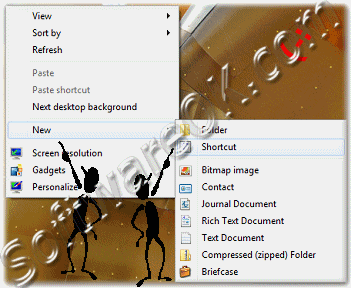
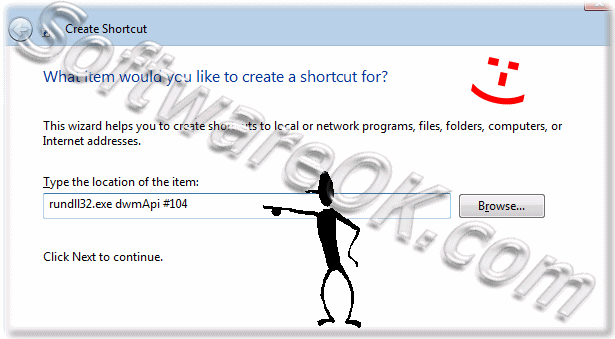
To temporarily enable or disable aero transparency via desktop shortcut in Windows 7, create "Aero Transparency Shortcut"Right-click at the free space on the Windows-7 Desktop and then click "New" and "Shortcut" (see Image-1) The "Create Shortcuts Wizard" helps you to create new Shortcuts (see Image-2) And then enter the commands in the "Location box" (see Image-2) To Disable Aero (Turn Transparency Off): rundll32.exe dwmApi #104 To Enable Aero (Turn Transparency On): rundll32.exe dwmApi #102 See the result: (Image-3) Or Download the Tool: ... TemporaryAeroDissable.zip! 
FAQ 52: Updated on: 22 June 2018 11:59 |
| |||||||||||||||||||||||||||||||||||||||||||||||||||||||||||||||||||||||||||