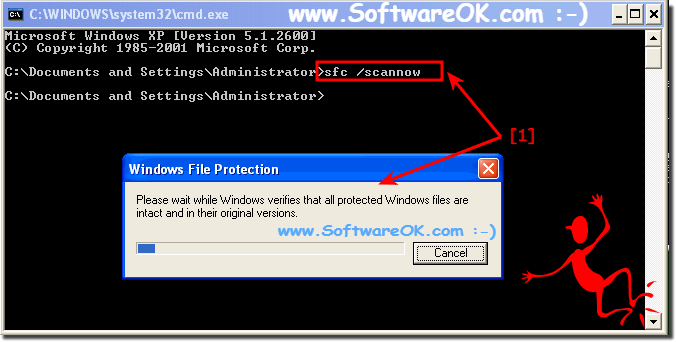
The solution to scan all protected system files and replaces incorrect versions with correct Microsoft versions in all Windows 10, 11, .... and Server Systems.If you want scan all protected system files please start the command prompt And use the command-line: SFC /SCANNOW

The help file for SFC!
Copyright (C) Microsoft Corporation. All rights reserved.

Scans the integrity of all protected system files and replaces incorrect versions with
correct Microsoft versions.

SFC [/SCANNOW] [/VERIFYONLY] [/SCANFILE=] [/VERIFYFILE=]
 [/OFFWINDIR= /OFFBOOTDIR= [/OFFLOGFILE=]]

/SCANNOW        Scans integrity of all protected system files and repairs files with
          problems when possible.
/VERIFYONLY     Scans integrity of all protected system files. No repair operation is
          performed.
/SCANFILE       Scans integrity of the referenced file, repairs file if problems are
          identified. Specify full path
/VERIFYFILE     Verifies the integrity of the file with full path .  No repair
          operation is performed.
/OFFBOOTDIR     For offline repair, specify the location of the offline boot directory
/OFFWINDIR      For offline repair, specify the location of the offline windows directory
/OFFLOGFILE     For offline repair, optionally enable logging by specifying a log file path

e.g.

  sfc /SCANNOW
  sfc /VERIFYFILE=c:windowssystem32kernel32.dll
  sfc /SCANFILE=d:windowssystem32kernel32.dll /OFFBOOTDIR=d: /OFFWINDIR=d:windows
  sfc /SCANFILE=d:windowssystem32kernel32.dll /OFFBOOTDIR=d: /OFFWINDIR=d:windows /OFFLOGFILE=c:og.txt
  sfc /VERIFYONLY

C:Windowssystem32>
It is easy to Scan all protected system files via Command Prompt Line ergo cmd.exe and it is suitable for most Microsoft Windows OS in example for Windows 11, 10 , 8.1, 8, 7: Pro, Home, Enterprise, Basic, Premium, Professional, Starter, Ultimate, Windows-Server 2019, 2016, 2012 and is a very useful Scan feature for corrupt, bad, faulty, defective, flawed, damaged, rogue, broken files and folder. FAQ 4: Updated on: 3 November 2023 19:12 |
| |||||||||||||||||||||||||||||||||||||||||||||||||||||||||||||||||||||||||||