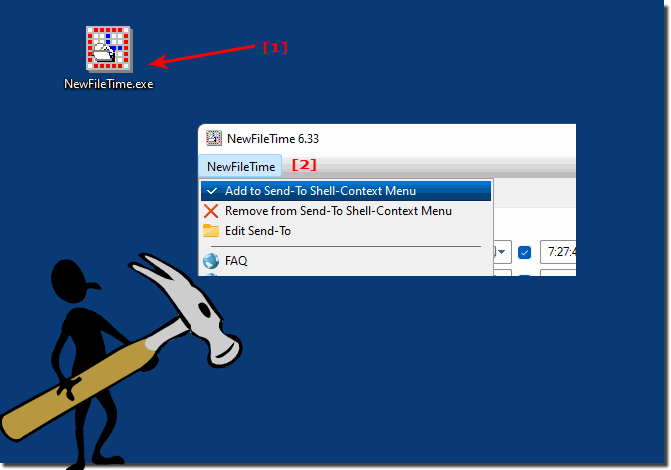
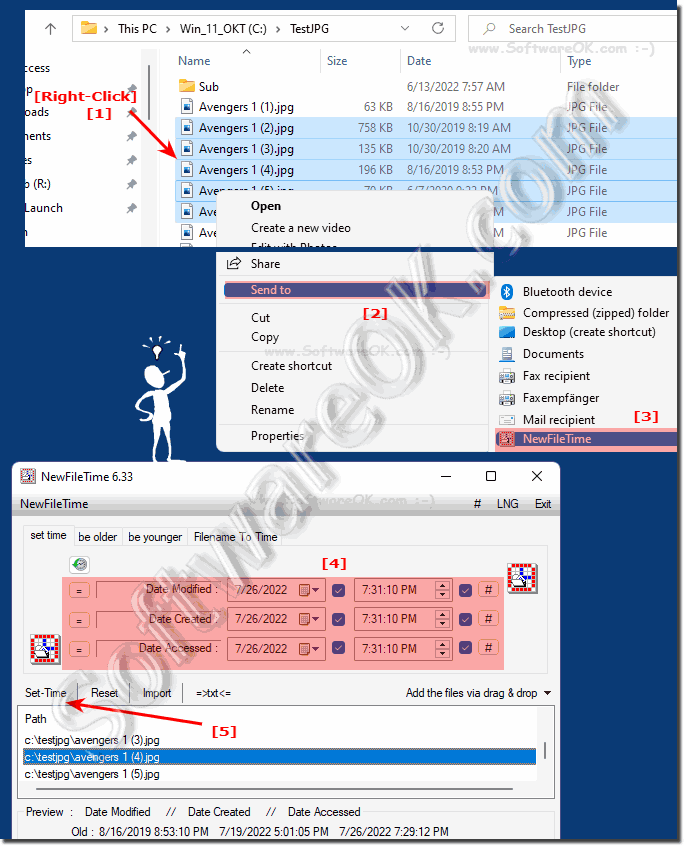
The creation date and modification date are two important dates in all Windows operating systems. The age of files can be recognized quickly with this. Especially important if you like to sort the files by date in the detail view of Windows File Explorer. You can find more tips on this topic here!
If you only change the timestamps for directories ergo folder, the solution is easy to filter only by folder and contain subfolders in NewFileTime for Windows
The solution, just set or change the time at the file time and not the date, it is quite easy to just set the time for the file time in New File Time, in
Here is a quick solution how to create a desktop shortcut for the MS Terminal under Windows 11, 10, and MS Server OS Content: 1. Microsoft.WindowsTerminal
The wireless display function under Windows 11 is very convenient and easy to make a presentation on the big TV screen in the living room or in the office
This website does not store personal data. However, third-party providers are used to display ads, which are managed by Google and comply with the IAB Transparency and Consent Framework (IAB-TCF). The CMP ID is 300 and can be individually customized at the bottom of the page. more Infos & Privacy Policy ....