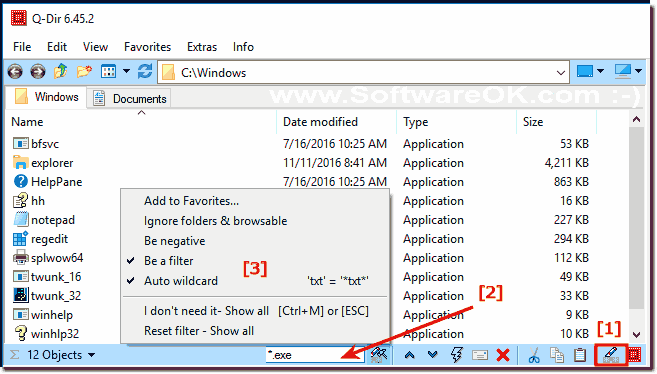
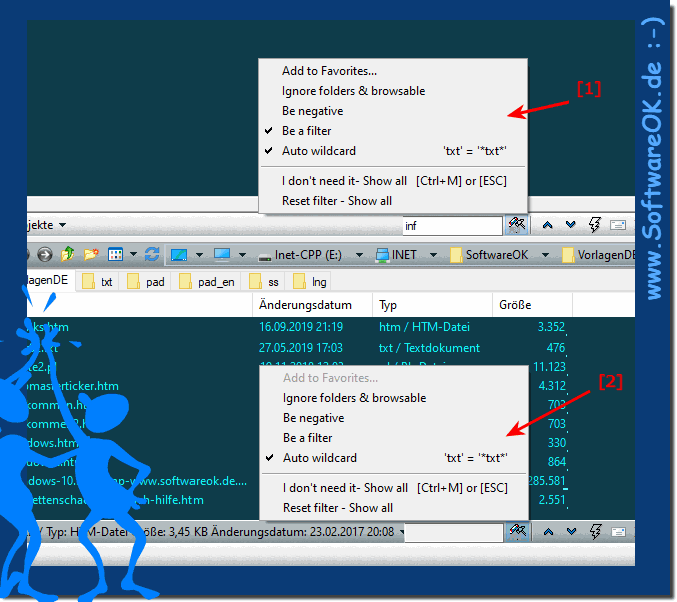
As you can see, it is also possible under Windows 10 to filter files. The elegant file filtering solution is not just written for Windows 10, even though this screenshot has been made under Windows 10. As you can see above under Windows 10 shot screenshot. As a file filtering solution, you can easily and quickly use this example also on older versions of Microsoft's Windows operating systems to filter data, whether it's a Windows desktop, tablet, Surface Pro / Go, or even a server operating system. The file filter function was tested on various MS OS and successfully verified.
From Version 8.41 User Request:
A suggestion for your consideration please. I used the filter function Ctrl +M. When I activated it, I usually want to input new filter value. However, I have to use mouse to highlight the filter value all the time to edit it. Is it possible to default or allow setting to highlight filter value when triggered filter function while the existing filter value is remained?
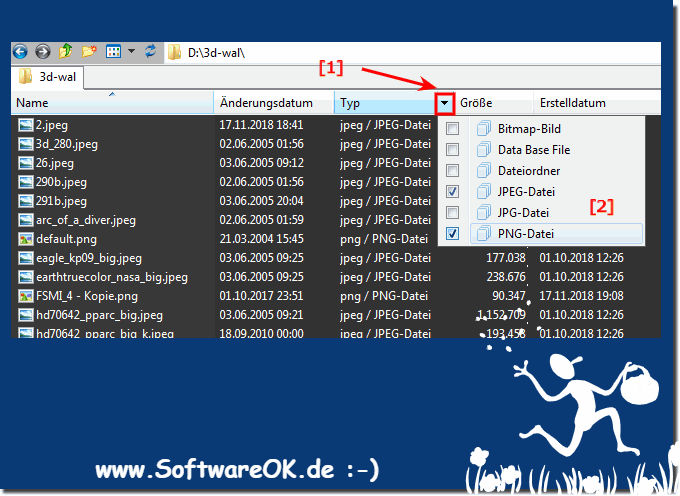
3.) ... Filtering the data using the columns in the list view!
Explorer Views in Quad-Directory Explorer has only the MS internal FTP Test this in all List Views of the file manager Q-Dir UserName:m_y_pas@ftp.your_ftp_example1.com/dir1/
This goes wonderfully with the help of transfer parameters in XCOPY.EXE. Thats a pretty brisk business. The synchronization of directories with the help
Excuse me. Can you tell me how to list only files of one type, such as *.doc?
I'm new using your software and so far so good, I find it quite useful! Is there an option to filter out or highlight files ? For example I'd like to highlight files based on something in their name or their file property tag or something else. For instance all Files where "competences" or "profile" or "xxx" is in the title ? IS that possible?
I would like to exclude the following files from the various Q-Dir windows: *.ini2, *.ptn, *.ppinfocache, maxdesk.* Reading the filter tab under "more options", its not clear what syntax I use for this.Can you give me a syntax example?
This website does not store personal data. However, third-party providers are used to display ads, which are managed by Google and comply with the IAB Transparency and Consent Framework (IAB-TCF). The CMP ID is 300 and can be individually customized at the bottom of the page. more Infos & Privacy Policy ....